
Datacenter proxies are fast, affordable, and popular- but not always well understood. Maybe you have used them without knowing it. Or perhaps you avoid them because, well, they sound technical and.....maybe a little dangerous? I definitely had that impression when I first read about proxies.
Datacenter proxies are often referred to as the "workhorses" of the proxy world. That might be true. But it is not that easy. Sometimes they work perfectly and other times - especially on strict platforms - they do not work at all. I have tested dozens of them and across tools and platforms the results? Mixed. Impressive, but not perfect.
This guide will cover all of that. Not just how they work, but when they do not work, and why it matters.
- Datacenter proxies are fast, affordable, and built for high-volume web workflows.
- They work best when speed, scale, and predictable pricing matter more than residential IP trust.
- Always test proxy speed, block rate, uptime, authentication, and target compatibility before scaling.
Claim Your Free Datacenter Proxies – Limited Offer!
Before getting to the nitty-gritty, here’s a quick but practical point. In your projects or out of pure curiosity, if you want to see how datacenter proxies work, testing a couple of free datacenter proxies will be useful. Most proxy providers (including ourselves) now provide free, limited-time trials -- nothing hidden, just a trial. Some of these offers are worth taking advantage of, why not grab one whilst you can?
What Are Datacenter Proxies?
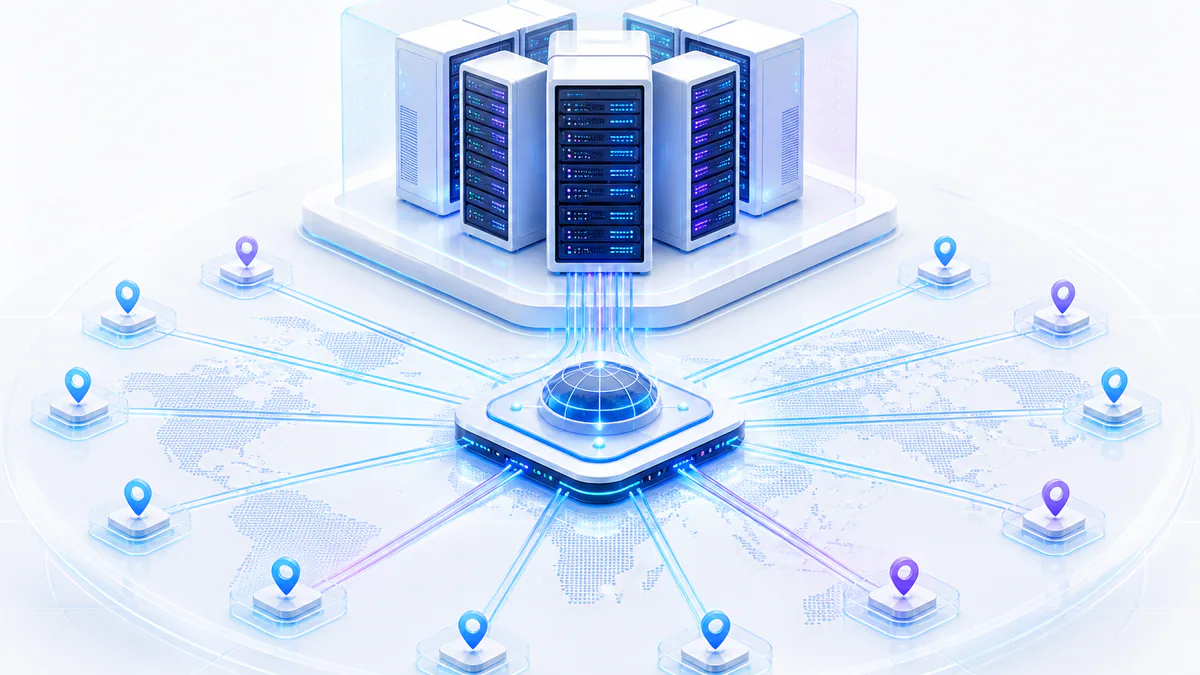
A datacenter proxy is a type of IP address that is not tied to an internet service provider (ISP). In other words, the datacenter proxy is created by datacenters at very high volumes/scale through virtualizing technologies. These proxies exist on servers, hosted in commercial buildings, and have no ties to genuine home or mobile internet users.
You can think of it as a middle layer. You make a request, and the request goes through the proxy. When the destination website receives your request, it sees the IP address of the proxy instead of your actual IP address. It is like putting on a mask when you are online, except the mask is fast, cheap, and not very conspicuous.
It helps to visualize this: your computer ➔ datacenter proxy server ➔ target website. That's the flow.
Primary Takeaways:
- Datacenter proxies are not linked to ISPs or physical users.
- Hosted in server farms, often shared across users.
- Fast and affordable but easier to detect than other types.
Datacenter vs. Residential vs. Mobile Proxies
Let's not overanalyze this. All three proxies have a similar goal - obfuscating your IP address. The source of the IP creates the difference.
Datacenter IPs are from data centers. Residential IPs are from an ISP assigned to a real house. Mobile IPs are assigned to devices on 3G/4G/5G networks. All three have downsides with speed, cost, and reliability.
If you are using proxies for publicly available data, datacenter proxies will usually work just fine. If you are pretending to be a real user or trying to bypass a systems protection, residential or mobile proxies would make the most sense.
Key Features:
- Datacenter = speed + volume
- Residential = realism + trust
- Mobile = strongest but slowest
| Feature | Datacenter | Residential | Mobile |
|---|---|---|---|
| Speed | ✅ Fast | ✉️ Medium | ❌ Slower |
| Cost | Cheap | Expensive | Most Expensive |
| IP Trust Level | ❌ Low | ✅ High | ✅ Very High |
| Best For | Scraping, Bots | SEO, Accounts | App Testing, Ads |
| Detection Risk | High | Medium | Low |
How Do Datacenter Proxies Work?
When boiled down to the essence, datacenter proxies are intermediaries. When your computer makes a request, the proxy server sends the request to the destination and sends the response back to you. Basically just traffic relay.
Where the power is, is in the scale. The use of virtualization, such as Hyper-V, VMware or KVM, can create and assign hundreds or even thousands, of proxy IP addresses. Often, these servers are simply rack mounted inside commercial datacenters.
The proxy will have an IP address that is from a data block (subnet) that was purchased or leased from a provider. These IP addresses are non-residential IP addresses. This is the biggest distinction from residential proxies.
Core Features:
- Forward requests without exposing your real IP
- Hosted on servers with strong bandwidth
- Leased IP ranges, not ISP-issued
Forward vs. Reverse Proxy: What’s the Difference?
Most people use forward proxies. That means your request goes through the proxy before reaching the internet. Reverse proxies work in the other direction - they sit in front of servers to filter traffic coming in. With datacenter proxies, you're almost always using the "forward" type.
Main Advantages:
- Forward proxies help with scraping, anonymity, and access control.
- Reverse proxies help websites manage load, block threats, and cache content.
What Is a Datacenter IP Address and How Is It Assigned?
Datacenter IPs are assigned in blocks to companies, not consumers. These IP ranges are linked to autonomous systems (ASNs) and can be traced back to hosting providers. That’s why some websites can detect and block them more easily. Still, many tasks don’t require high IP trust. As long as speed and affordability are your focus, datacenter IPs get the job done.
How Are Datacenter Proxy Networks Built?
Setting up a datacenter proxy network is not that complicated, and can be broken down a few steps in the process. First, you lease a large range of IP addresses. Second, you organize those IPs across many virtual machines, or containers that route traffic through the IPs.
This setup exists inside a rack, inside a server room, inside a datacenter. The hardware is real, and the IP identities are not so real.
ASNs (Autonomous System Numbers) also matter. They are used to identify where IPs “live” on the internet. When ever a hosting provider defines its ASN it's effectively telling sites the IP isn't coming from a residential or mobile source.
Essential Elements:
- IP leasing from upstream providers
- Infrastructure: servers, racks, BGP setup
- Registration through ASNs for public routing
Where Do Datacenter IPs Come From?
Usually from upstream ISPs or registrars that sell or lease blocks of IPv4/IPv6 addresses. Providers buy them in bulk, register them under their company name or ASN, and deploy them in proxy networks. In many cases, these IPs are recycled. You might get an IP today that was used for email servers or VoIP last month.
Top Providers Who Lease or Sell Datacenter IP Blocks
They offer raw IPs. It’s up to proxy vendors to build networks on top.
Some of the common names you’ll see in the datacenter space include:
- IPXO
- Heficed
- Leaseweb
Use Cases for Datacenter Proxies in 2025
Datacenter proxies are versatile. They shine in tasks that need speed and scale but don’t require maximum stealth.
Most Important Points:
- Web scraping: Grab massive data fast
- SEO monitoring: Check SERPs across locations
- E-commerce: Track price changes or competitor stock
- Geo-unblocking: Access region-locked content (except streaming, which often blocks them)
- Testing: Run QA scenarios from different IPs
- Retail bots: Automate checkouts in flash sales
- Social tools: Manage bulk accounts or schedulers
- Ideal for speed, automation, and public data scraping
- Not suited for sensitive use cases where stealth matters
Types of Datacenter Proxies Explained
There are a few subtypes worth understanding:
Rotating vs. Static Proxies:
Rotating proxies switch IPs periodically or on every request. Static ones keep the same IP for a session. Rotating is better for scraping. Static works well for logins or tasks needing consistency.
Shared vs. Dedicated vs. Semi-Dedicated IPs:
Shared: Used by multiple users Dedicated: Assigned to one user only Semi-dedicated: Shared by 2-3 users Each has pricing and performance implications.
HTTP/HTTPS vs. SOCKS5 Protocols:
HTTP proxies are great for web browsing and scraping. SOCKS5 supports more protocols and offers better flexibility. For browser use or non-HTTP traffic, SOCKS5 is preferred.
Primary Takeaways:
- Rotating = better stealth
- Static = session consistency
- SOCKS5 = protocol versatility
| Feature | Rotating | Static |
|---|---|---|
| IP Changes | Frequently | Rarely |
| Stability | Less Stable | Very Stable |
| Scraping Scale | High | Medium |
| Price | Medium | Low to Medium |
How to Get Datacenter Proxies
Most providers offer monthly plans based on bandwidth or IP count. Some allow hourly or daily billing. Start small. Test proxies before scaling up.
Don’t focus on price alone. Look at speed, uptime, IP quality, and support. Some networks are noisy (abused) and get blocked more often.
Checklist:
- IP freshness: Are they burned or clean?
- Speed & uptime: Measured, not claimed
- Location diversity: Useful for targeting regions
- Trial availability: Always test before you buy
Free vs. Paid Options – What’s the Catch?
Free datacenter proxies exist. But they're usually unreliable, slow, or flagged by most sites. Many are honeypots or used for malicious purposes.
If something is free and used by thousands of others, it won’t stay undetected for long. Still, free proxies can be useful for experiments, learning, or casual browsing.
Main Advantages:
- Paid = speed, support, reliability
- Free = unpredictable, shared risk
Try Before You Buy – Trial Tips
Test proxies with your actual use case before subscribing. Some proxies do well on paper but poorly in practice, to illustrate, you might have a proxy that loads Google fine, but then gets blocked on Amazon for scraping.
Get a chunk, rotate through endpoints, measure speed and verify if you are getting blocks etc. A good provider will be able to help you work through it too.
How to Use Datacenter Proxies (With Examples)
You plug that into your browser, bot, or scraper tool.
Core Features:
- An IP or hostname
- A port
- Authentication method (IP whitelist or username/password)
- Chrome: Use proxy extensions or system settings
- Python: Use requests or selenium with proxy config
- Scrapy: Add proxy middleware
- Puppeteer/Playwright: Launch browser with proxy args
- Simple integration
- Most tools support proxy inputs
- Works with browsers, scripts, and automation tools
Authentication Methods: IP Whitelist vs. Username/Password
Whitelisting is simpler, but fixed to one location. Credentials are more flexible, especially for rotating or mobile setups.
Two common methods exist:
- IP Whitelisting: You register your real IP with the provider. Only that IP can access the proxy.
- Username/Password: You use login credentials instead.
Should You Choose Datacenter Proxies?
If yes, datacenter proxies are a solid choice. But if you're creating accounts or accessing restricted platforms, consider other types.
Ask yourself a few things:
- Do you need speed over stealth?
- Is cost a big factor?
- Are you scraping or automating public data?
Alternatives to Datacenter Proxies
Key Points:
- Residential proxies: Better for platforms that block datacenter IPs.
- Mobile proxies: For mobile apps or ad verification.
- VPNs: Good for general privacy but less control over IPs.
How to Choose the Best Datacenter Proxy Provider
Read reviews, ask questions, and start small.
Metrics to Check:
- IP pool size and freshness
- Uptime and speed guarantees
- Support responsiveness
- IP rotation options
- Trial availability
- Response time (ms)
- Block rate on target sites
- Geo-location accuracy
Final Thoughts: Are Datacenter Proxies Worth It in 2025?
In most high-volume, speed-sensitive use cases, yes. They’re not invisible, but they don’t have to be. Datacenter proxies still offer the best performance per dollar when detection risk is low. Just use them thoughtfully. Pick the right provider. And test first. Done right, they’re still the best tool for the job.
Datacenter Proxy FAQ
Ready to test datacenter proxies?
Use ProxyTitan to test fast datacenter proxy routing, private authentication, stable uptime, and predictable speed for scraping, monitoring, QA, and automation workflows.