

OpenBullet is used for web automation workflows, testing, and data extraction tasks. When it is used with rotating proxies, requests can be routed through changing IP addresses instead of one fixed connection.
Rotating proxies help improve request stability, reduce IP-based blocks, and separate automation traffic from your direct network identity.
This guide shows how to prepare a proxy list, import proxies into OpenBullet, check proxy functionality, and configure requests through rotating proxies for legitimate automation and scraping workflows.
- Rotating proxies help distribute OpenBullet requests across different IP addresses.
- Proxy lists should be formatted correctly before importing them into OpenBullet.
- Proxy testing is important before running larger automation workflows.
- Reliable paid rotating proxies are usually safer and more stable than public free proxies.
Creating a Proxy List for OpenBullet
Start by preparing a proxy list that OpenBullet can import. The list should contain proxies in a supported format such as IP:PORT or IP:PORT:USER:PASS.
For stable automation, rotating proxies are usually better than static public proxies because they provide a fresh IP address more often.
ProxyTitan rotating proxies can be used for legitimate web automation, public data collection, and scraping workflows where stable proxy routing is required.
Proxy option
For reliable rotating proxy access, compare ProxyTitan rotating proxies .
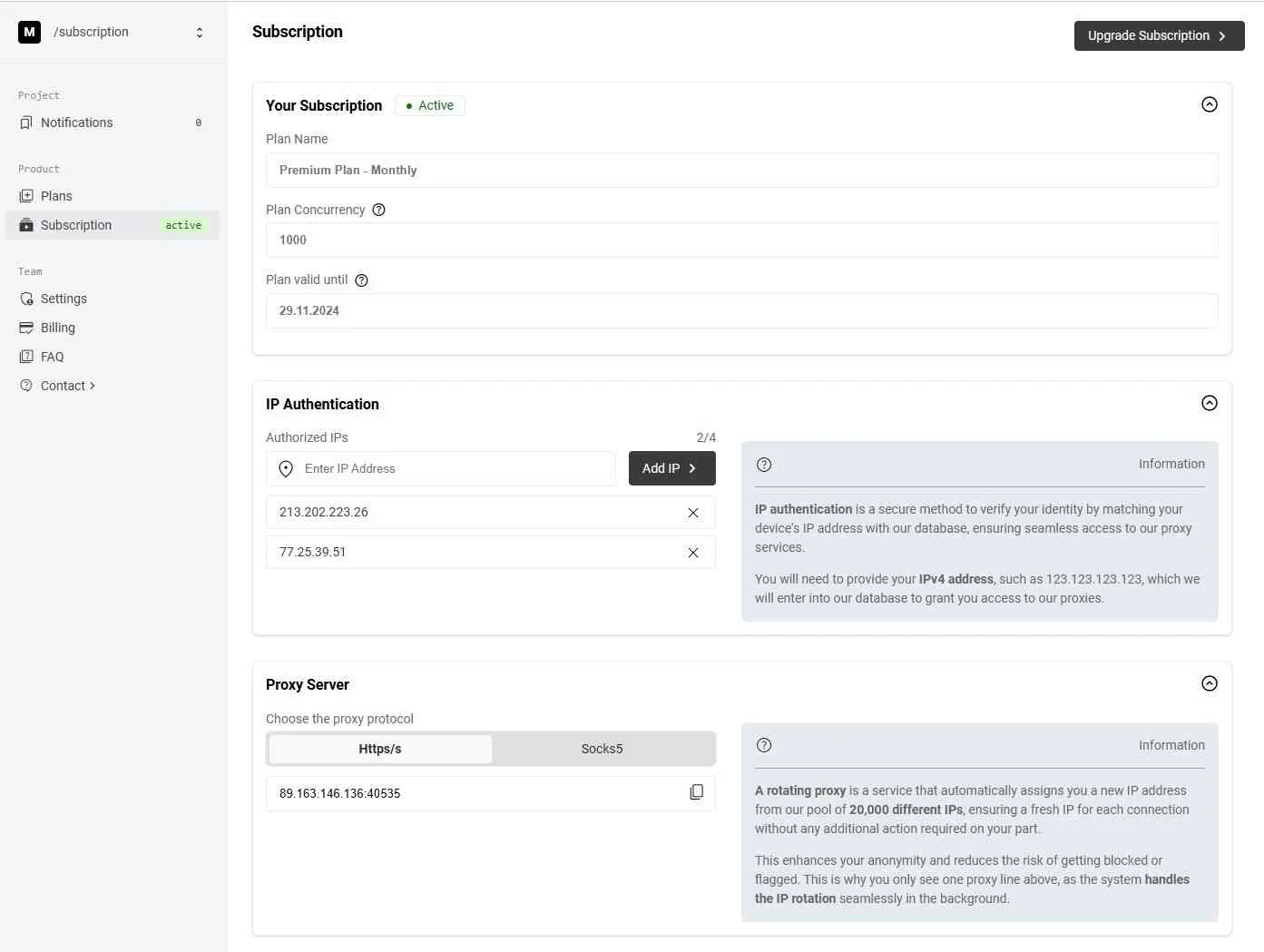
Advantage of Using Rotating Proxies with OpenBullet
Rotating proxies automatically switch IP addresses, which helps reduce repeated requests from one address.
This can improve anonymity, reduce IP-based blocking, and support longer automation sessions when used responsibly.
For OpenBullet users working on legitimate scraping and automation tasks, rotating proxies can improve success rates and keep traffic more stable.
Download OpenBullet
Download OpenBullet from its official GitHub release page. After downloading the ZIP file, extract it into a folder on your system.
Once the files are extracted, you can open the application and continue with the proxy setup.
Safety note
Use OpenBullet only for legitimate automation, testing, and data collection workflows where you have permission.
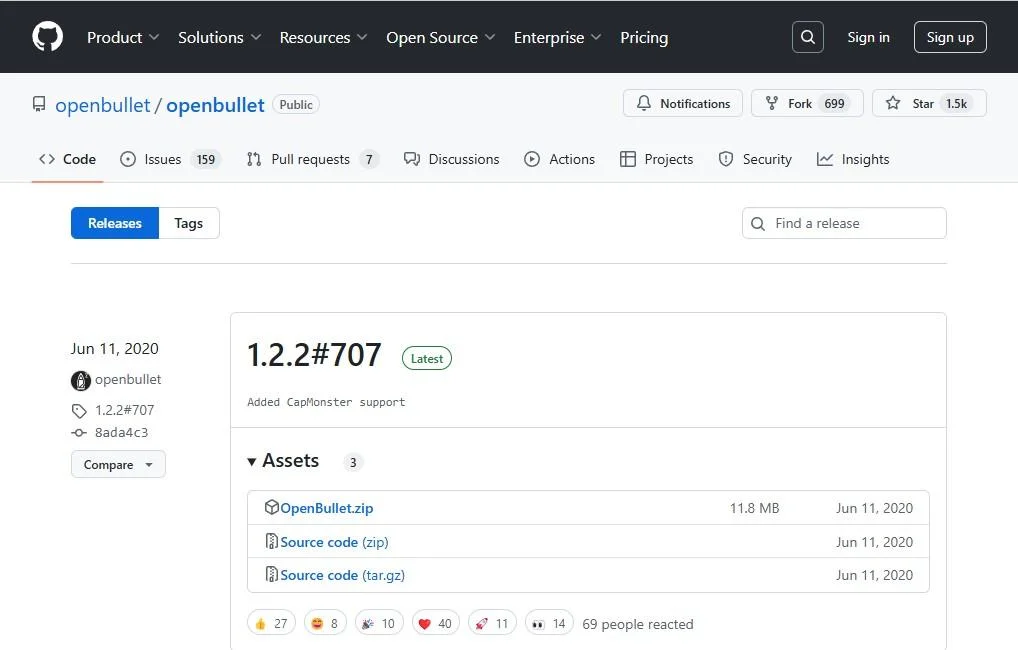
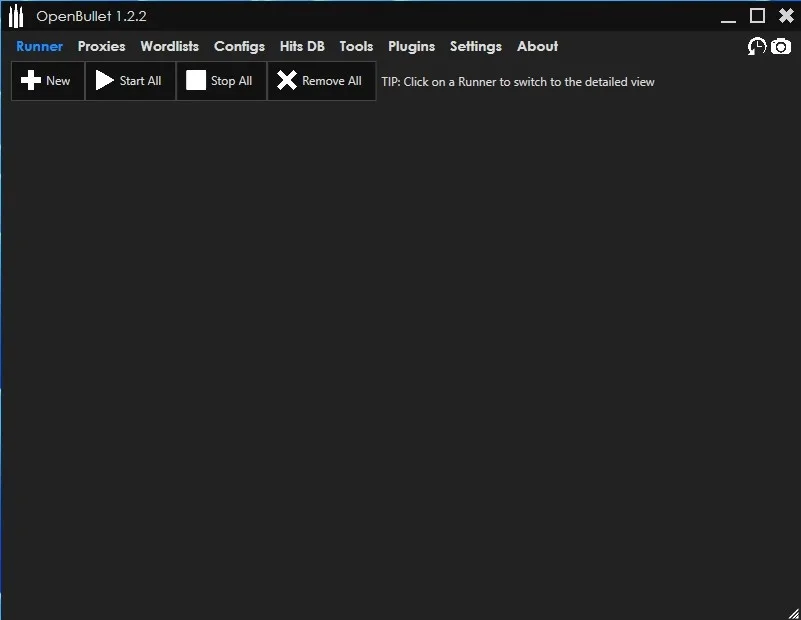
Starting OpenBullet and Setting Up Your Proxy List
After extracting the folder, start the OpenBullet executable file.
The main interface will open. From there, you can move to the proxy section and begin importing your prepared proxy list.
How to Import Proxies into OpenBullet
Open the Proxies section in the OpenBullet menu. Click Import and select the file that contains your proxies.
Your proxy file can contain entries such as IP:PORT or IP:PORT:USER:PASS, depending on whether authentication is required.
After importing, choose the correct proxy type. For ProxyTitan rotating proxies, select the protocol that matches your dashboard details, such as HTTP or HTTPS. Then click Accept to save the import.
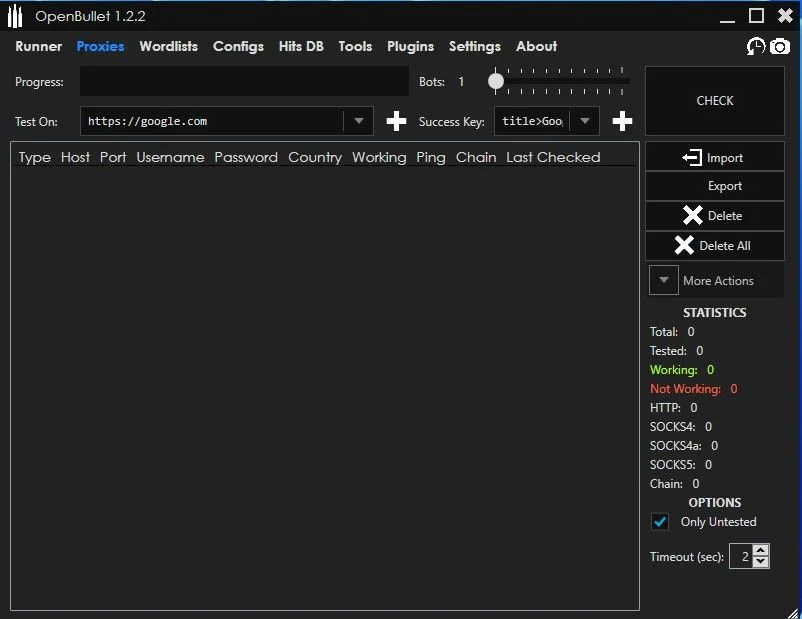
Checking Proxy Functionality and Performance in OpenBullet
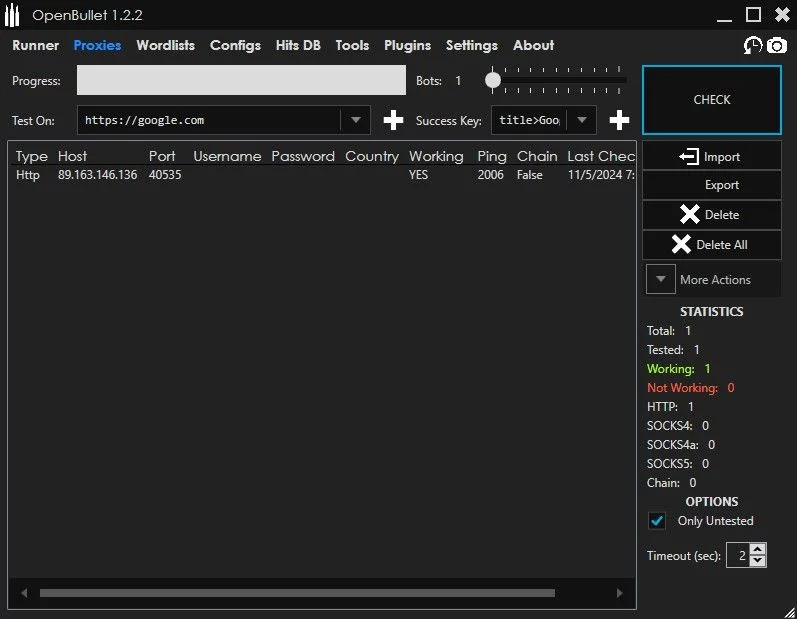
After importing proxies, test whether they work correctly before using them in larger workflows.
Click the Check button to test proxy functionality. OpenBullet will send a request and return status information such as whether the proxy is active and how quickly it responds.
A successful test confirms that the proxy is reachable and ready for use in your configuration.
Optimal Settings for OpenBullet with Rotating Proxies
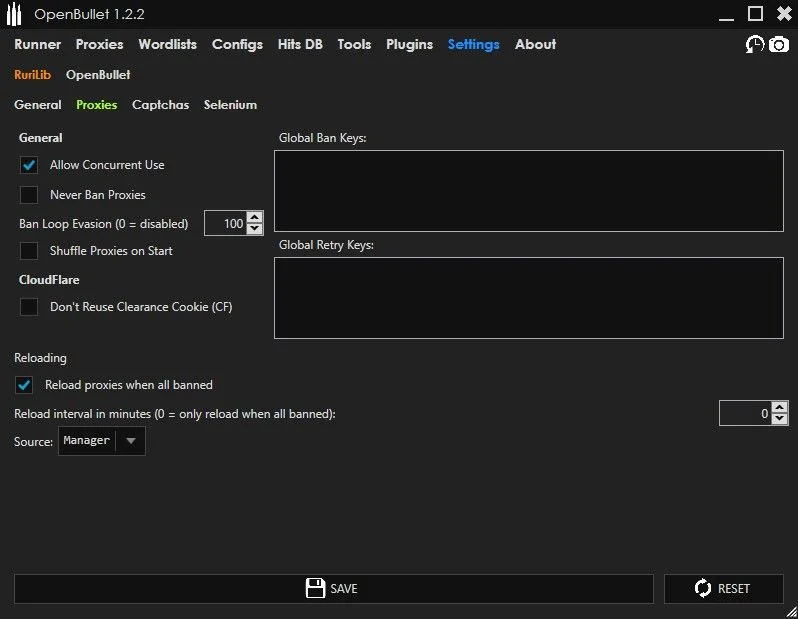
Open the Settings menu and review the proxy-related options before running automation tasks.
Enable Allow Concurrent Use when your workflow requires concurrent requests and your proxy plan supports it.
For rotating proxies, confirm that your provider’s session behavior matches your task. Some proxies rotate per request, while others rotate after a fixed time or session interval.
Creating Configurations in OpenBullet for Web Scraping
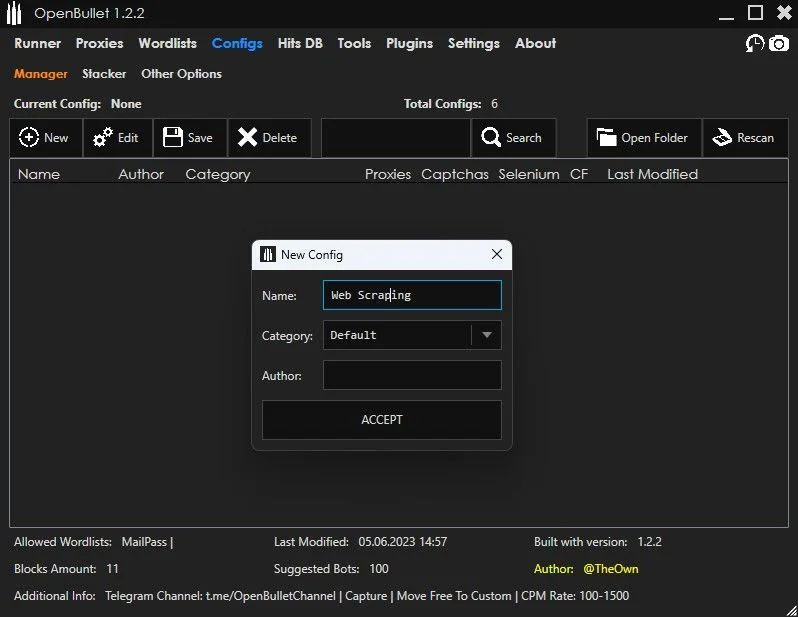
Open the Configs section and click New to create a new configuration.
Give the configuration a clear name that matches its legitimate use case, such as public page monitoring, testing, or data extraction.
After naming the configuration, click Accept to save it and continue editing the request logic.
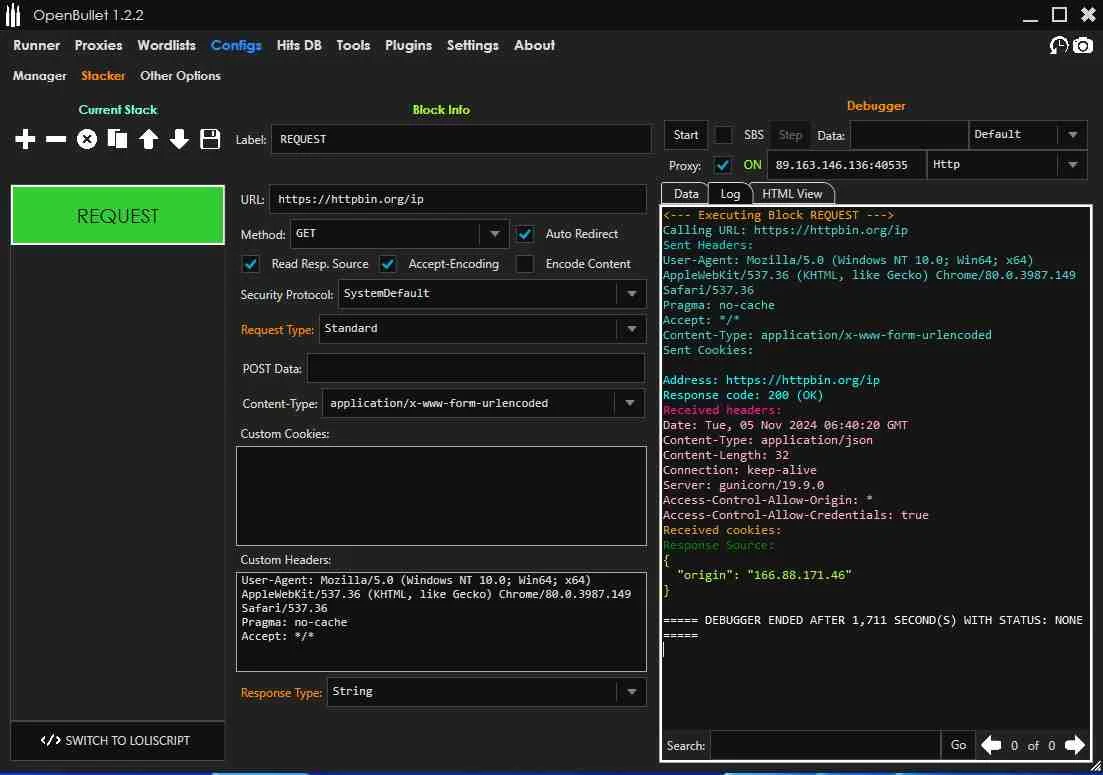
Use Proxy in OpenBullet Config
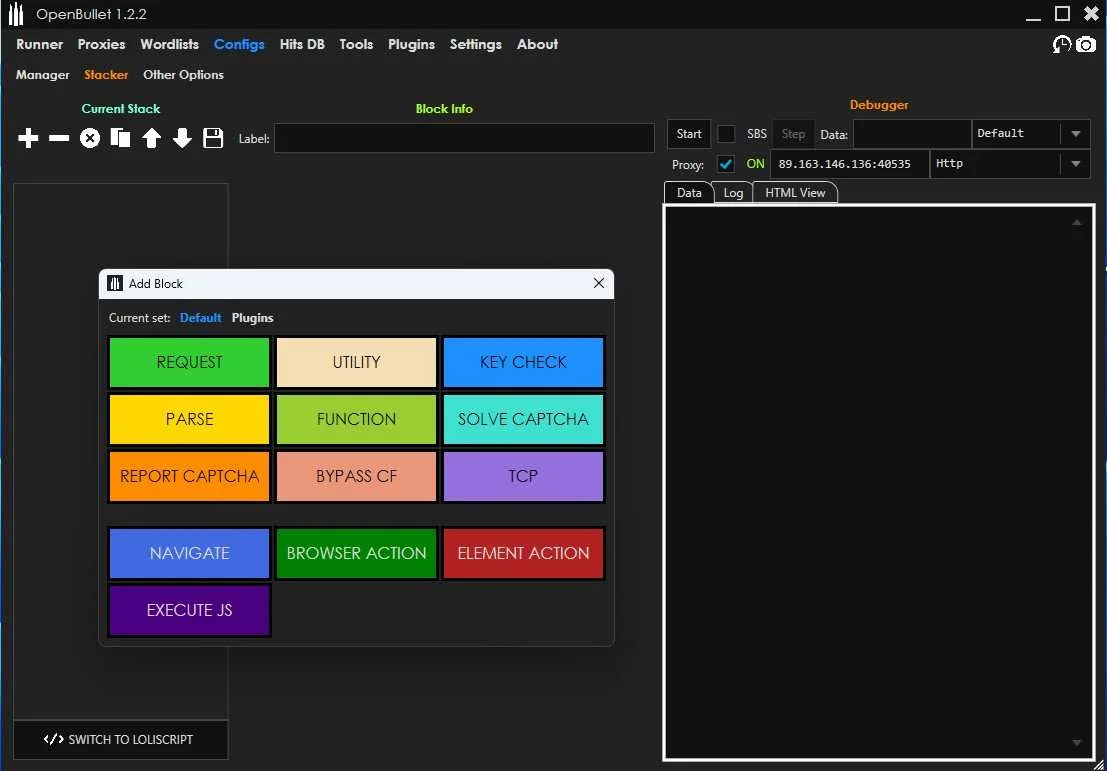
Inside the configuration interface, activate the Proxy option.
Insert the proxy details you received from the ProxyTitan dashboard and select the correct proxy type.
Then add a request block to route your HTTP request through the configured proxy. This makes the configuration use the selected proxy route for its requests.
Executing Requests with Rotating Proxies in OpenBullet
Paste the URL you want to request into the URL field and start the request.
Use the Data field to review the request result and confirm whether the response was successful.
You can then adjust filters, parsing logic, and request settings to match your legitimate automation or scraping workflow.
Conclusion: Key Takeaways for Using OpenBullet with Proxies
Using OpenBullet with rotating proxies can improve legitimate web automation and public data collection workflows by routing requests through changing IP addresses.
The most important steps are preparing a clean proxy list, importing the proxies correctly, checking their functionality, and configuring OpenBullet to use the proxy settings in each request.
Reliable rotating proxies can improve stability, reduce IP-based blocks, and make automation workflows easier to manage when used responsibly and within website rules.
OpenBullet Proxy FAQ
Need rotating proxies for automation workflows?
Use ProxyTitan when your setup needs rotating IPs, HTTP and HTTPS support, private authentication, stable uptime, and scalable request routing.