
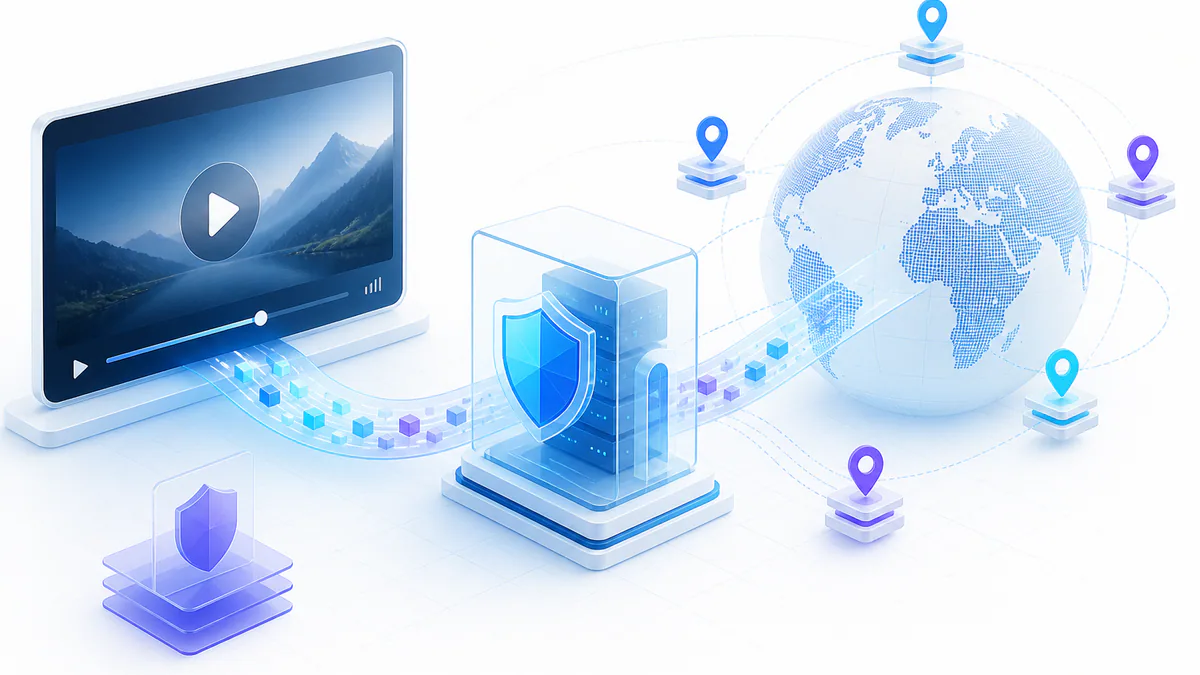
Streaming movies and TV shows can become difficult when geo-restrictions, ISP throttling, unstable routing, or privacy concerns interrupt the connection.
Streamlord proxies refer to using proxy servers to access Streamlord through a different IP address, helping users improve privacy, test regional access, and maintain smoother streaming sessions.
This guide explains how Streamlord proxies work, which proxy types matter, how to configure them, and how to troubleshoot common streaming proxy issues.
- Streamlord proxies can help bypass regional restrictions by masking your real IP address.
- High-speed proxies with low latency and enough bandwidth are important for stable HD streaming.
- Rotating datacenter proxies, free premium proxies, residential proxies, and SOCKS5 proxies each serve different use cases.
- Safe streaming proxy usage requires secure authentication, reliable providers, correct settings, and regular connection testing.
What Are Streamlord Proxies?
Streamlord proxies are not a separate proxy category. The term describes using proxy servers to access the Streamlord streaming platform through a different IP address.
A proxy sits between your device and the streaming platform. Instead of the platform seeing your direct IP address, it sees the proxy IP address.
This can help users bypass regional restrictions, protect browsing sessions, and keep streaming activity more private.
Related proxy option
Compare unlimited rotating datacenter proxies for high-speed proxy routing.
Streamlord proxies can help you:
- Bypass regional blocks by masking your real IP address.
- Maintain a faster and more reliable streaming route.
- Secure browsing sessions through encrypted proxy connections.
- Access content from different regions when allowed by the platform and local rules.
Benefits of Using Streamlord Proxies
Streamlord proxies can improve the streaming experience by giving users more control over location, speed, and privacy.
One of the main benefits is access to region-specific content. By connecting through a proxy server in another location, users may be able to view content that is not available from their direct region.
Performance also matters. A high-speed proxy with unlimited bandwidth can reduce buffering and support smoother high-definition streaming.
Privacy is another major reason to use proxies. Proxies mask the direct IP address and can help keep streaming activity separate from the user’s original network identity.
Main benefits:
- Bypass geo-restrictions for region-specific streaming access.
- Improve streaming quality with fast proxy infrastructure.
- Reduce ISP throttling by masking streaming activity from direct routing patterns.
- Protect privacy by hiding the original IP address.
- Support multiple devices and streaming workflows.
How to Use Proxies to Access Streamlord
Using proxies for Streamlord usually requires selecting a reliable proxy provider, configuring your device, testing the connection, and then opening the streaming platform.
The exact setup depends on your device and proxy type. Desktop browsers, mobile devices, and browser extensions all handle proxy configuration slightly differently.
Basic setup process:
- Select a reliable proxy service with fast and stable connections.
- Choose a proxy location that matches your streaming access needs.
- Configure your device, browser, or proxy extension with the proxy IP, port, and credentials.
- Test your visible IP address before streaming.
- Run a speed test to confirm the connection supports HD streaming.
- Open Streamlord and check whether streaming works smoothly.
Choosing the Right Streamlord Proxy Service
The right proxy service should match your streaming needs. Speed, server location, bandwidth, privacy features, support, and pricing are the most important factors.
A global proxy network helps with regional content access. High-speed routing and unlimited bandwidth help reduce buffering. Strong authentication and encryption help protect privacy.
Customer support is also important because proxy setup problems can happen on browsers, mobile devices, routers, or streaming apps.
Selection criteria:
- Server locations in the regions you need.
- Low latency and high-speed connections.
- Unlimited or high bandwidth limits.
- Support for HTTP and SOCKS5 protocols.
- Strong encryption and secure authentication.
- Clear privacy policy and reliable customer support.
Comparing Residential Proxies for Streamlord
Different proxy types provide different benefits for streaming, browsing, scraping, and privacy.
Rotating datacenter proxies are fast and cost-effective. Residential proxies can appear more natural to strict platforms. SOCKS5 proxies offer strong compatibility and performance for many streaming and network tasks.
| Proxy Type | Protocols Supported | Key Features & Benefits | Ideal Use Case |
|---|---|---|---|
| Unlimited Rotating Datacenter Proxies | HTTP, SOCKS5 | Unlimited bandwidth, rotating IPs, high speed, cost-effective routing | Streaming, web scraping, market research, and geo-restriction testing |
| Free Premium Proxies | HTTP, SOCKS5 | No-cost access, anonymous browsing, useful for casual testing | Casual browsing and simple region-access checks |
| Residential Proxies | HTTP, sometimes SOCKS5 | Real-user style IPs, lower detection risk on stricter platforms | Accessing strict region-locked platforms and trust-sensitive workflows |
| SOCKS5 Proxies | SOCKS5 | Good speed, strong protocol flexibility, useful for sensitive traffic | HD streaming, P2P-compatible traffic, and broader protocol support |
Step-by-Step Guide to Setting Up Your Streamlord Proxies
Proxy setup depends on your operating system, browser, or device. The process is usually simple once you have the proxy address, port, protocol, and authentication details.
For desktop browsers, open your network or system proxy settings, enter the proxy IP address and port, save changes, and restart the browser.
For mobile devices, open Wi-Fi settings, select the active network, edit proxy configuration, enter the proxy details, save, and reconnect.
Browser extensions can make proxy switching easier. A proxy manager extension lets you save multiple proxy profiles and turn them on only when needed.
Setup checklist:
- Choose a proxy provider with strong performance and good reviews.
- Check that customer support is available if setup issues happen.
- Confirm server locations and protocol support.
- Configure the proxy on your browser, device, or extension.
- Test your IP address and run a speed test before streaming.
- Start streaming only after confirming that the proxy route works.
Avoiding Common Pitfalls: Free Proxies and Proxy Websites
Free proxies may look attractive, but they often lack the speed, stability, security, and privacy needed for smooth streaming.
Many public proxies are overloaded, frequently blocked, or associated with abusive activity. This can lead to slow streaming, connection drops, failed access, and privacy risks.
For reliable streaming, a paid proxy service with clear policies, stronger uptime, and better routing is usually the safer option.
Free proxy note
Free proxies are useful for simple tests, but streaming needs better uptime, speed, and privacy controls. View free proxies .
Common free proxy problems:
- Slow speeds and buffering.
- High block risk on streaming platforms.
- Unclear logging or privacy policies.
- Malware and data exposure risks.
- Short-lived proxy availability.
Troubleshooting and Optimizing Your Proxy Connection for Internet Traffic
Even a good proxy setup can run into occasional issues. Common problems include buffering, slow speeds, connection drops, incorrect proxy credentials, or IP leak concerns.
Start troubleshooting by checking whether the proxy is active and whether your visible IP address has changed. Then test speed, try another proxy location, and review your browser or device settings.
Troubleshooting tips:
- For slow speeds, switch to a closer or faster proxy server.
- For buffering, clear browser cache and restart the browser or device.
- For connection drops, check your internet connection and proxy provider status.
- For authentication errors, verify username, password, IP whitelist, and port.
- For IP leak concerns, use an IP lookup tool before opening the streaming platform.
Security and Privacy Considerations
When using proxies for streaming, prioritize services with secure authentication, strong encryption, and clear privacy policies.
A proxy should protect your connection, not introduce extra risk. Avoid unknown public proxies when account credentials, private browsing, or sensitive traffic are involved.
Look for providers that explain logging behavior, supported protocols, and account security options clearly.
Security checklist:
- Use authenticated proxies instead of open public proxies.
- Prefer providers with clear privacy policies.
- Use HTTPS websites whenever possible.
- Check whether HTTP and SOCKS5 are supported.
- Verify your IP address before streaming.
- Avoid entering sensitive account data through unknown proxies.
Tips for Streaming with Streamlord Proxies on a Streaming Platform
Streaming through proxies works best when the proxy is fast, stable, and located close to the content region you need.
Low latency and high bandwidth are especially important for HD streaming. A slow or overloaded proxy can cause buffering even if it successfully changes your IP address.
Streaming tips:
- Choose multiple proxy server locations for regional content access.
- Use high-bandwidth proxies for HD streaming.
- Pick low-latency proxy locations whenever possible.
- Use a provider with simple setup instructions and support.
- Double-check proxy IP, port, protocol, and credentials.
- Be aware of platform terms and local rules before using proxies.
Why Choose ProxyTitan for Your Streamlord Proxies?
ProxyTitan provides proxy solutions designed for browsing, streaming, scraping, market research, and privacy-focused workflows.
Unlimited rotating datacenter proxies help keep IP addresses fresh, reduce block risk, and support stable access to region-specific content.
HTTP and SOCKS5 support gives users flexibility across browsers, tools, and applications. Unlimited bandwidth options help keep streaming and browsing workflows smooth.
ProxyTitan proxy benefits:
- Unlimited rotating datacenter proxies with continuously changing IPs.
- Free premium proxies for users who need a no-cost testing option.
- HTTP and SOCKS5 protocol support.
- Unlimited bandwidth options.
- High-speed performance for smoother browsing and streaming.
- Privacy-focused routing with IP masking and secure access controls.
Conclusion: Making the Informed Choice for Enhanced Streaming and Overcoming Geographic Restrictions
Streamlord proxies can help users bypass geo-restrictions, improve streaming privacy, and keep connections more stable when direct access is limited.
The best results come from choosing the right proxy type, configuring the device correctly, testing speed and IP visibility, and avoiding unreliable free public proxies.
ProxyTitan offers unlimited rotating datacenter proxies and free premium proxies for users who need flexible proxy access for streaming, browsing, and research workflows.
Streamlord Proxy FAQ
Need fast proxies for streaming and browsing?
Use ProxyTitan when you need high-speed proxy routing, private authentication, HTTP and SOCKS5 support, rotating IPs, and unlimited bandwidth options.