
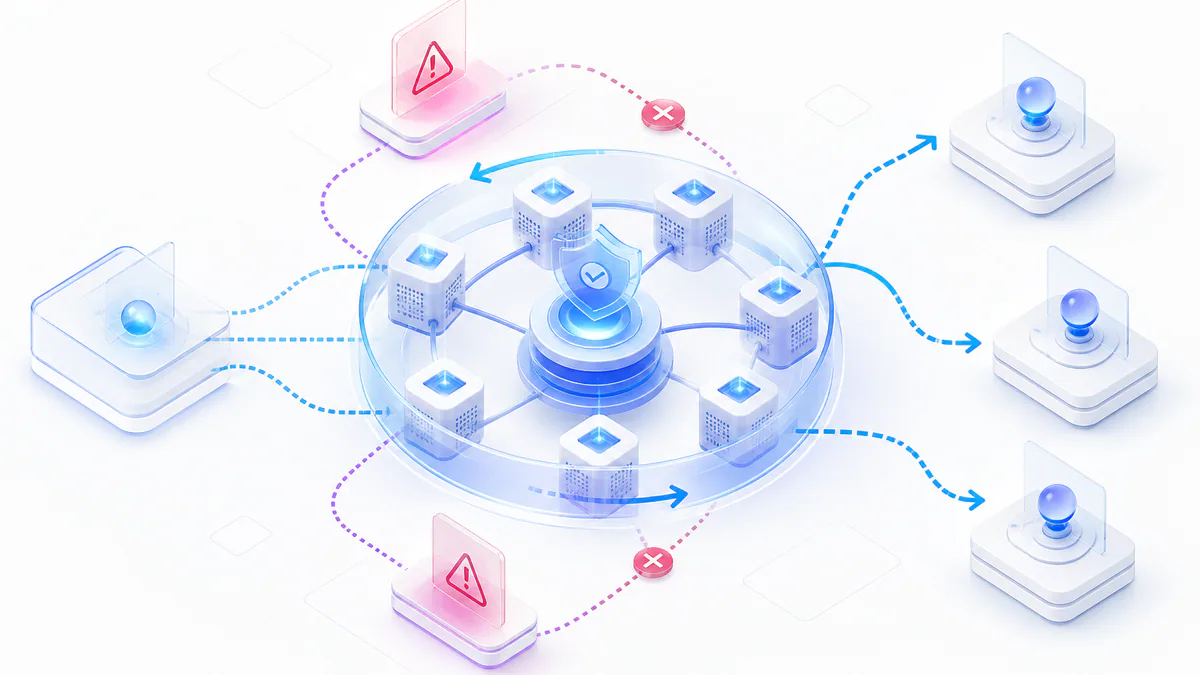
Web scraping can trigger IP bans when websites detect repeated automated requests from one address.
Premium rotating datacenter proxies reduce this risk by distributing requests across a changing pool of fast datacenter IPs.
This guide explains why IP bans happen, how rotating proxies help prevent them, and how to set up a safer scraping workflow with monitoring, rotation schedules, and troubleshooting steps.
- IP bans usually happen when one IP sends too many requests too quickly.
- Premium rotating datacenter proxies replace blocked or overused IPs with fresh proxy exits.
- Dynamic IP switching, load balancing, and bandwidth management reduce detection risk.
- Good scraping also requires ethical request rates, monitoring, logs, and regular proxy health checks.
Introduction to Secure Web Scraping
Secure web scraping depends on stable access, responsible request behavior, and reliable proxy infrastructure.
Many websites block IP addresses when they detect automated request patterns. This can interrupt data collection and force scraping tools to restart or retry repeatedly.
Premium rotating datacenter proxies help keep scraping tasks stable by changing the visible IP address regularly. They mask the direct source of requests and provide fast, secure, and scalable connections.
This article explains the core concepts, setup steps, troubleshooting methods, and best practices that support secure and efficient data extraction.
Key points:
- Secure scraping keeps data flow steady.
- Premium rotating proxies change IPs regularly.
- Rotating proxy infrastructure helps reduce downtime.
- A good setup includes monitoring, retry logic, and ethical scraping rules.
Understanding IP Bans and Their Impact
Websites often use rate limits and detection systems to identify automated requests. If too many requests come from one IP address, that IP may be blocked.
An IP ban stops the target website from serving data to that address. This creates gaps in datasets, failed jobs, and wasted processing time.
Premium rotating proxies help reduce this issue by using many IPs instead of one. If one IP becomes blocked or weak, another IP from the pool can take over.
Related proxy option
Compare unlimited rotating datacenter proxies for scraping workflows that need speed and IP rotation.
Most important points:
- High request rates can trigger bans.
- Repeated mechanical request patterns are easier to detect.
- A static IP creates more risk during scraping.
- Rotating IPs reduce downtime and help maintain data access.
Overview of Premium Rotating Datacenter Proxies
Premium rotating datacenter proxies hide your real IP address by routing requests through a changing pool of datacenter IPs.
Unlike static proxies, rotating proxies can change IPs per request, per session, or after a configured interval. This makes it harder for a target website to track one repeated source.
Premium proxies usually provide better speed, lower latency, stronger uptime, and cleaner management than free or public proxy lists.
Free proxy note
Free proxies can help with testing, but they are usually slower and less reliable than premium rotating proxy infrastructure. View the free proxy list .
Primary takeaways:
- They change IPs on a schedule or per request.
- They hide the true source of scraping requests.
- They provide high speed and low latency.
- They integrate easily into scraping tools through proxy credentials.
| Feature | Rotating Proxies | Static Proxies |
|---|---|---|
| IP Change Frequency | Changes with each request, session, or interval | Fixed IP |
| Risk of Detection | Lower risk due to rotation | Higher risk with repeated fixed patterns |
| Speed | High speed from datacenter infrastructure | Varies by provider and server |
| Use Cases | Web scraping, market research, automation | Basic browsing and limited scraping |
| Cost | Higher investment for quality and uptime | Often cheaper but less flexible |
Mechanisms That Prevent IP Bans
Premium rotating datacenter proxies reduce ban risk through dynamic IP switching, traffic distribution, and load balancing.
Dynamic IP switching changes the visible IP address between requests or sessions. This prevents one proxy IP from being overused too quickly.
Load balancing spreads traffic across multiple proxy exits. This helps preserve speed, reduce overload, and keep the scraping workflow stable.
Key advantages:
- IPs change with each request or defined interval.
- Detection risk drops because one IP is not overused.
- Traffic is distributed across multiple proxy exits.
- Bandwidth management helps maintain speed.
- Anonymous access is easier to maintain at higher request volumes.
Setting Up Your Premium Rotating Proxy Service
Setting up a premium rotating proxy service starts with choosing a provider, creating an account, and receiving proxy credentials.
After that, configure your scraping tool with the proxy endpoint, authentication details, and rotation settings provided by the proxy service.
Most web scraping tools, including Scrapy, Selenium, Playwright, Puppeteer, and custom Python scripts, support proxy configuration. The setup is usually straightforward when credentials and endpoints are clearly documented.
Primary setup steps:
- Sign up with a proxy provider.
- Get proxy credentials or whitelist your IP address.
- Configure your scraping tool with the proxy endpoint.
- Add authentication details.
- Adjust rotation intervals if supported.
- Test and monitor the connection before running large scraping jobs.
Troubleshooting and Mitigating Proxy Issues
Even premium rotating proxies can run into timeouts, dropped connections, slow responses, or authentication errors.
Most issues can be solved by checking logs, verifying credentials, testing proxy endpoints, adjusting timeouts, and reviewing rotation settings.
Regular monitoring helps identify weak proxy exits, overloaded routes, and failed requests before they interrupt larger scraping tasks.
Troubleshooting checklist:
- Monitor logs for proxy errors.
- Check response times regularly.
- Verify proxy credentials and authentication method.
- Adjust timeout and retry limits.
- Change rotation intervals if requests fail too often.
- Contact the provider if the same issue repeats across many proxy exits.
Best Practices for Secure and Efficient Web Scraping
A strong scraping setup needs more than proxy rotation. It also needs sensible request pacing, monitoring, legal awareness, and ethical scraping behavior.
A good rotation schedule balances speed and safety. Rotating too slowly can increase ban risk. Rotating too aggressively can create unnecessary overhead or unstable sessions.
You should also review target website terms, respect robots and access rules where applicable, and avoid overloading target servers.
Best practices:
- Set and test proxy rotation intervals.
- Use analytics to adjust request pacing.
- Monitor proxy health and response times.
- Avoid excessive request bursts.
- Respect target website terms and data privacy laws.
- Review logs regularly and remove failing routes.
FAQs and Final Recommendations
Premium rotating datacenter proxies can help keep scraping stable by changing IPs automatically and distributing traffic across many fast datacenter exits.
For long-term scraping success, keep proxy settings current, monitor performance, review logs, and adjust your rotation schedule when needed.
The most reliable workflows combine premium proxy infrastructure with responsible scraping logic, clear retry rules, and ongoing performance testing.
Final takeaways:
- Keep proxy settings current.
- Monitor and test performance.
- Follow ethical and legal scraping rules.
- Review logs regularly.
- Use premium rotating proxies for stable high-volume scraping.
Avoid IP Bans FAQ
Need premium proxies for stable scraping?
Use ProxyTitan when your scraper needs fast rotating datacenter IPs, stable uptime, private authentication, and scalable request routing.